Understanding Your Digital Vehicle Inspection Report
Your Digital Vehicle Inspection report is designed to help you understand the condition of your vehicle without guesswork. When you receive the report by text or email, it provides a detailed breakdown of inspected components, along with clear explanations and visual documentation.
This guide walks you through how to read the report, what each color-coded status means, and how to approve or decline services directly from your device.
The Color Coded Health System
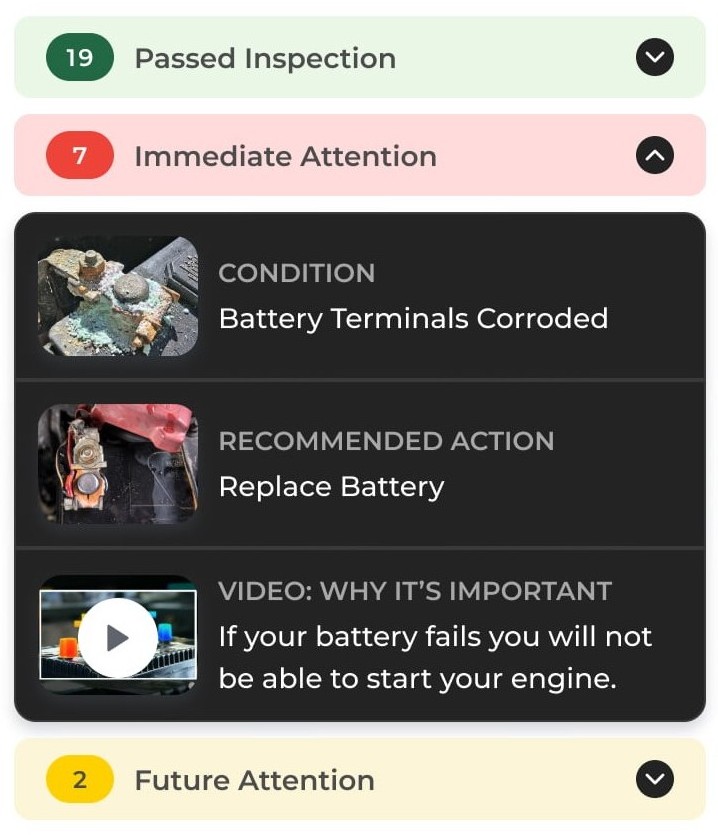
To help prioritize safety and plan maintenance, inspection results are organized using a simple three-color system. Each color indicates the condition of a specific component and the recommended next step.
Green: Good Condition
- What it means
The component is functioning correctly and meets manufacturer specifications. - Action required
No action is needed at this time. - Common examples
Tires with good tread depth, clean fluids, properly functioning filters, or recently serviced components.
These items are documented so you have a complete picture of what is working well on your vehicle.
Yellow: Monitor
- What it means
The component shows normal wear or early signs of aging but has not failed. - Action required
No immediate repair is required. Monitoring is recommended. - Common examples
Brake pads with remaining life, fluids approaching service intervals, or minor seepage.
These items are typically rechecked during your next visit to track changes over time and help plan future maintenance.
Red: Immediate Attention
- What it means
The component has failed, is damaged, or poses a safety or reliability concern. - Action required
Prompt repair or replacement is recommended. - Common examples
Metal-on-metal brakes, significant fluid leaks, separated belts, or severely worn tires.
Addressing Red items helps prevent safety risks and reduces the chance of additional damage to other vehicle systems.